The Right Tool for the Job

I hate calling folks to fix stuff at the house. I’m kind of an introvert, and having people hanging around just puts me on edge. But more than that, it seems like I ought to be able to do these things myself. And often I can, albeit with an extra trip or ten to the home store.

But sometimes you just need somebody who really knows what they’re doing. And I don’t begrudge this when the situation calls for training and experience. The trades are deep and complex crafts — I admire anyone who has mastered one.

On the other hand, sometimes the only difference between me and “the guy” is that they have the right tool for the job. And that drives me insane — there is no way for me to justify getting a hundred foot power auger or an electrician’s wire puller, but the voice in my head won’t shut up: if you only had one, you could do this yourself!

All of which is just a long-winded way to point out that, especially when you start with the wrong tool for the job, using the right one is a transcendent experience. Nothing makes you appreciate a pair of hose clamp pliers quite as much as a half hour scraping your knuckles with a pair of regular ones.

After re-learning this lesson no less than three times just in the past couple of weeks, I figured it was worth a few words. Let’s see if you agree.

1. There’s a reason they call it a jigsaw

The last phase of Operation Ventura has us changing up the surface of our deck, which admittedly is just ancient poured concrete with more than its share of small cracks. Lara found this amazing Australian company that creates interlocking deck tiles using recycled wood and HDPE plastic. So a few weeks ago a full-on pallet of these things showed up in our driveway. Time to get out the dolly!

The product (creatively named “DECKO”) is really great — I’ll live with it awhile longer before giving a final recommendation, but installation is a breeze and so far they do just fine with our big umbrella and chairs rolling around. Each tile interlocks with its neighbors, and as long as your base surface is flat there is no need for screws or glue. Woot!

But of course the deck isn’t exactly square and it isn’t exactly the perfect size, so at the edges I needed to cut tiles to fit them around railings and posts. Many of the cuts were straight, but others needed to be notched or otherwise re-shaped.

I don’t have a ton of tools here in Ventura, so I needed to buy a saw. The irregular cuts need a jigsaw, so that was easy. And I convinced myself that it could manage the straight cuts as well, using a simple jig to track the parallel edge.

A half dozen destroyed tiles later, I realized that was a really stupid idea. The tiles are super-dense; a jigsaw cuts well enough for small areas, but just doesn’t track a consistent line across a full tile. At least, not unless I wanted to spend ten minutes on every twelve-inch cut. Jigsaw gotta jig.

So I got a chop saw. The cost was tough to eat, and I don’t know where I’m going to store it, but the straight cuts are perfect and quick and painless. I excuse myself by saying that $500 for a saw is still waaaay less than if I paid somebody to install the tiles for me.

2. Sometimes you just need a screw (ha)

An old friend of mine coined the term “CTO physique” which honestly captures me pretty well. I stop paying attention and gain some extra pounds, then eventually knock it down, and then it slowly creeps up again. I accepted this pattern long ago, and it works for me.

It really is all about attention — by tracking how many calories I eat, I can lose weight with pretty minimal work (to be clear this is MY pattern; there are of course many others). Years ago I had a little pocket-sized booklet with a paper dial you could spin to count daily calories. It was phenomenal; best invention ever and far superior to complicated phone apps. But no longer in print and $21 on eBay is too rich for my blood.

The dial is the key, so I decided to design one for my 3d printer. Pretty simple: two discs sandwiched together with a little window with a pointer that keeps count. The only trick was to connect the two discs together so that they’d rotate smoothly when I wanted them to, but not when the counter was sitting in my pocket.

My plan was to print one disc with posts that would press through a hole in the other one, using the elastic pressure of the material to hold them together. Easy, right? Well, let’s look at (just a few) of my attempts:

HA! It turns out that at this small scale (the discs are each 2mm thick), it’s quite difficult to print an accurate post with sufficient elasticity to hold securely without snapping. I won’t go into the details of PLA vs PETG vs ABS filament — and I’m not saying it’s impossible. But it ain’t easy, especially for a relative 3d novice like myself. Printing is just not the right tool for this job.

But it turns out that a Chicago screw is perfect. You often see these used in leatherwork; a two-part fastener that screws together to pull layers of material against each other. Dialing up or down the pressure is makes it easy to find the “sweet spot” with enough friction to turn without slipping on its own. It even looks good!

Part of me is disappointed that I had to abandon an all-printed solution. But a few weeks (and about five pounds) into this round of weight loss, the Chicago Screw has performed flawlessly — definitely the right tool for this job.

3. Don’t let the junior developer (AI) pick the framework

This one probably deserves its own post; the more I learn about coding with AI, the more interesting it is. But that’s not why we’re here today, so that’ll have to wait.

I love a good road trip. Lara and I drive between WA and CA a few times a year, and I’ve been lucky enough to do a few near cross-country routes over the last little while. There’s something about a freeway that I just love — leave your driveway, start moving, and you can go anywhere. Pure escapism.

But the one thing freeways are not good at is giving you a sense of place. The scenery can be beautiful, but the highway system itself is pretty generic (which is not to say I don’t love a good Love’s!). For years I’ve wanted to write an app to provide that missing context — and over the last couple of weeks I finally got it done with the help of my friend Claude Code.

Points” is not a routing app — it’s meant to run side-by-side with whatever you use for navigation, on a separate device. Its sole purpose is to “look around” your current position and identify cool stuff that you might not otherwise notice: natural features like mountains, rivers and beaches, historic sites and buildings, parks and tourist attractions, that kind of thing.

As you drive, every minute the right pane will update with a new point of interest. If you can’t wait a whole minute, click “Next” to see another one. Click the bell icon to have the device chime each time a new point is shown, so you can keep your eyes on the road. If you want to save one to look at more deeply later, click “Share” to save it away.

The coolest part is the AI integration — although I didn’t want to pay for the entire world, so you need to supply your own Claude API key to use it. For clarity, I never see your key; the app runs completely in the browser and the key is saved only on your device.

When you click “More”, the app asks Claude to generate a one- or two-paragraph description of the point of interest. The response is shown on-screen and read aloud automatically, again so you can keep your eyes on the road. I LOVE this feature — the AI picks out amazing fun facts for incredibly obscure points.

Anyways — I mentioned that I built the app with Claude Code, which was fantastic especially because some of the geolocation work was really gnarly. It was brilliant to be able to describe the behavior I wanted (e.g., “focus your search around the area where I will be in five minutes, based on current direction and speed of travel”) rather than deal with the radians and degrees and Earth’s curvature and all that insanity.

However, when presented with the job of building a web site, Claude really really loves React. And don’t get me wrong, I do too — it’s my go-to framework for building apps. It just turns out that it was absolutely the wrong tool for this job.

Other than the geo stuff, the app is pretty simple: show a map on the left with your current position, find points of interest and pop them in on the right. A few background timers keep track of the user’s location, make sure we keep a “queue” of points by calling Wikidata periodically, and swap in new content when appropriate.

The problem is that React has a very “opinionated” idea of state management — and while timers and global Javascript objects and such can work within this structure, it’s a bit of an awkward struggle. And I finally realized that I wasn’t even getting anything out of React in this case — Claude and I just used it out of habit.

Much like trying to install hose clamps deep inside a washing machine with needle-nose pliers, React was just the wrong tool for the job. In about twenty minutes, I rebuilt it as a simple, plain-old Javascript (ok, JQuery), HTML and CSS one-pager. Suddenly everything fit together perfectly, changes were easy, and the code made sense again.

Magic stuff, and lesson learned, once again. Maybe this time it’ll stick. Unlikely.

Adventures in 3D Design: FreeCAD

3D printing is key to an abundant world.

We use a lot of stuff. And until now, the most efficient way for the most people to have the most stuff has been to specialize — big, centralized factories custom-tooled to build a whole bunch of whatever (potato chips, cars, iPhones, toilet paper) and ship it around the world. Of course there’s localized capacity too, but only  where the scale is enough to support the cost of a new big custom-tooled factory.

Viewed from a distance, it’s kind of crazy — so much physical stuff (input materials, sub-components, final goods) moving so many places! The overhead of extraction, custom fabrication, packaging and transport is staggering. But especially in an environment where we don’t factor in costs to the, you know, environment — it pencils out.

3D printing is qualitatively different: hyper-local “factories” that create all the stuff using the same simple input materials. Now of course that’s a bold statement; today’s 3D printing ecosystem can’t live up to that hype. But it will, and sooner than we think, for sure.

Models make the magic happen

Even in today’s limited form, 3D printers are remarkably capable. Sites like Thingiverse and Printables contain thousands of pre-built models for everything: toys, replacement parts, containers, tools, housewares, even weapons … it’s kind of overwhelming.

These models are the currency of the 3D printing world. It’s clear that CAD expertise — the ability to create 3D models for printing — is becoming just as valuable in the physical world as coding skills have been in the software world. Something that everybody should know a little bit about, even if it’s not part of your everyday.

Side note: AI is beginning to eat CAD the same way it’s eating code — for example, Claude built me this printable rubber-band gun with just a quick prompt and a couple of corrections. This is cool, but doesn’t change anything; it’s still worth learning the fundamentals. It’ll make you a better future manager of AI designers.

So come along as I learn to build a model using FreeCAD. This is my first attempt, and my “teacher” is mostly YouTube — so don’t expect the Venus de Milo. And this isn’t a tutorial, there are already a ton of those. It’s more an exploration of how to break down objects and their about their design.

A phone holder for the Rivian console

OK — our topic for today is my super-awesome Rivian R1S and its less-awesome center console.  Most public ire is directed at the console’s black hole of a storage compartment, one of the least usable spaces I’ve ever seen. The 3D world has already gone to town on this, creating a ton of stacking units that cover up the embarrassment. Lara bought one within days of getting the car.

My issue is more subtle. The Rivian display is great, but I still like to have my phone visible “at a glance” while I drive. This is especially important given the NSA-level monitoring of my eyes during hands-free driving. A phone on the center console tray lies flat which sucks. There are a bunch of great dash mount options, but there’s no power up there — I hate threading cables all over the car.

What to do? Well it turns out there is this weird niche in the front of the console that seems primarily designed to capture pens and make them hard to retrieve. It struck me that one could build a piece that inserts into this niche and holds the phone at a reasonable angle.

This felt like the perfect thing to create as a vehicle to learn how to use FreeCAD — a complex shape with some interesting requirements, but no moving parts and possible to print in one piece. Challenge accepted!

Spoiler Alert

I’d love to save the reveal for the end, but you kind of need to see where we’re heading for anything else to make sense. So here is the final product — in the car, and as a rotatable model you can spin around. Pretty simple, the bulk of the piece nestles securely in the console niche and provides a base for the plate and hook the phone goes into. It actually works phenomenally — woo hoo!

Getting started with FreeCAD

There are a bunch of really capable free CAD programs out there; I chose FreeCAD because it seems to be the most “professional” system — I was looking for something that would force me to learn the fundamentals.

It’s an amazing application — and bewildering on first run! My usual mode is to just wade in, but there was just no way. So I spent some time watching this phenomenal set of tutorials (note they do show an older version of the app) and bought an actual paper reference book (which made me feel very nostalgic for my Richter and O’Reilly days).

OK, start again. There are really just a few key concepts to understand; the rest is (a metric ton of) specialized tools and controls for manipulating the basics.

Bodies and Sketches

FreeCAD is a parametric design tool, which means it builds up objects based on geometric shapes and relationships / constraints between them. This is a bit less intuitive than direct design, which is more about manipulating objects with push, pull and rotate operations, kind of like sculpting a block of clay. I’m no expert; it seems to be one of those religious things. Anyhoo…

The first “big idea” is that objects are built up from 2D “sketches” — line drawings created on a plane in 3D space. These sketches serve as the basis of actual objects, with various other operations adding the third dimension.

Job 1: define the base piece that sits inside the niche. It’s a pretty weird shape: a flat side at the back, curved at the front, growing larger from bottom to top. FreeCAD lets you import an image to use as reference, so I started by taking a picture from the top with a ruler sitting next to it. The ruler lets us calibrate measurements by specifying something of known size (i.e., the ticks).

This gives us something to trace with sketching tools. The first sketch was for the bottom of the niche, so I created it on the XY plane (remember we are looking straight down from the top).

Next I needed a sketch for the top of the niche. This gets interesting — I’m still looking straight down so this second sketch is also on the XY plane. But it’s separated from the bottom by a height — that is, it needs to be at a different place on the Z axis. I did this by adding a second XY sketch but offsetting its position by 30mm. This is key and very powerful: the plane of a sketch is always flat, but can be moved and rotated anywhere in 3D space.

Here’s how the two sketches look together:

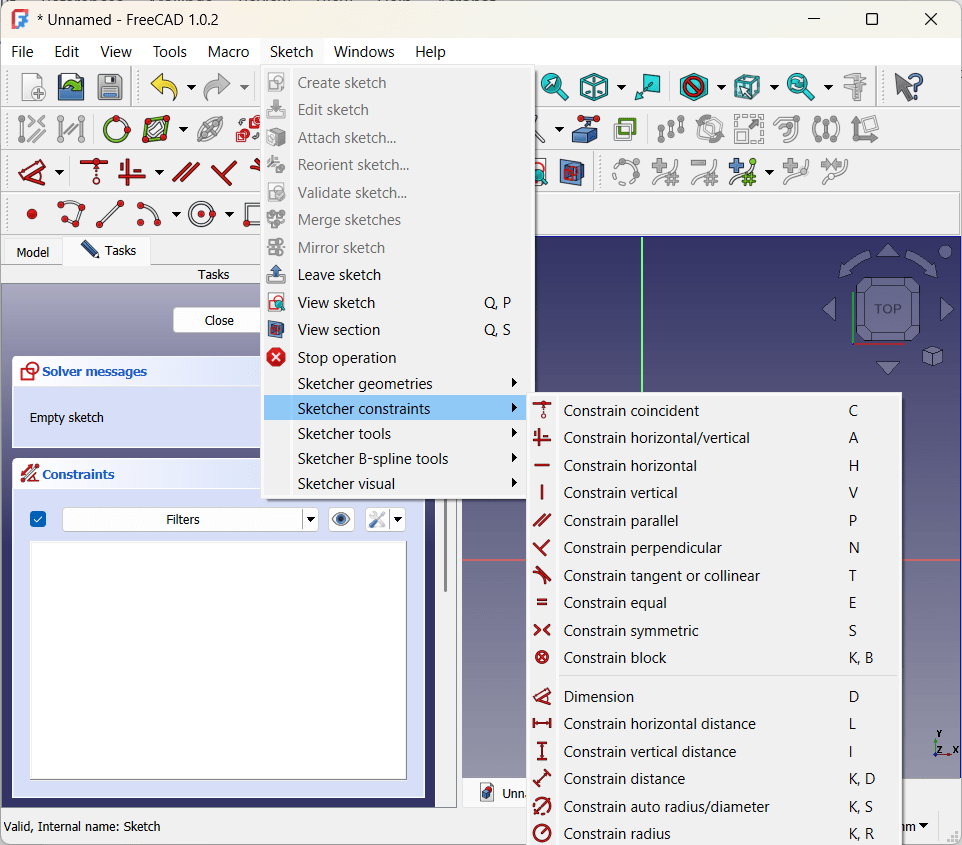
Constraints

“Constraints” enforce structural integrity by defining relationships between parts of a sketch. For example, a line might be constrained to a certain length or to always stay parallel to the X axis. Two points might be held symmetrical across an axis, or kept a certain distance apart from each other. The radius of an arc can be held constant, or lines can be made tangent to each other (nice for smooth transitions).

Typical best practice is to “fully constrain” sketches — defining enough relationships that the sketches stay exactly as they are on the plane. This isn’t a hard requirement, and there is a tinge of religion to conversations about it online, but I found it super-useful simply as a way to make sure I understand how the sketch fits together. In particular, symmetry constraints really helped ensure that the b-spline curves matched up on either side of the Y axis.

Adding volume: lofts, pads, rotations

Once you have sketches that define a planar view of your objects, you create volume by extending them into the third dimension. For the niche I used a “loft” operation to smoothly connect the bottom and the top:

Side note: at this point I got really excited and ran a test print to see how it fit into the niche. Unfortunately the answer was “not super-great” — tracing the image was a good start, especially for the curved sections, but I needed to tweak things a few times before getting it right. We got there eventually, but I’ll be using a more measurement-based approach for future projects.

There are lots of these operations. For a piece that is consistent in the third dimension (for example, a rectangular box), the “pad” operation simply adds thickness to a sketch:

Yet another option is “rotation” which spins a sketch around an axis:

This variety is the biggest reason that, at least for me, YouTube was a huge part of learning FreeCAD. It’s super-helpful to just watch people building things — which tools and constraints they choose and how it all fits together.

Adding the Mount Plate (Datum Planes)

Next up was the tilted plate for the phone to lay against. This is another place where things get interesting — the plate needed to lay at about a 40 degree angle for best viewing — but sketches sit parallel to the XY, XZ or YZ axes.

The tool for this is the “datum plane,” which essentially creates a new local XYZ coordinate system based off of objects in the original one. By creating a datum plane along the back vertical face of the niche insert and rotating it 50 degrees backwards, I ended up with exactly the right surface for a sketch.

You can see that the sketch is actually embedded inside the niche insert. Combining this with a “tapered” pad operation gave me more surface area connecting the plate to the insert for strength.

The Hook

Originally my plan was to extend a 17mm ball mount straight out from the plate, and attach a store-bought universal holder to that. But as I saw the piece come together, that seemed overly complicated — I could just create a little shelf and, by adding a couple hidden strips of grip tape, my phone would sit just fine.

One last sketch and pad did the trick — the only additional interesting thing here is that I used a “symmetric” pad to extend it evenly on either side of the sketch (shown in white). Not critical, just made it easier to ensure it was centered.

Finishing Touches (Fillets and Chamfers)

When you buy doodads like this, the edges are always smoothed out — both for aesthetic reasons and because sharp edges are pointy and uncomfortable. I do the same in woodworking too, I just never thought about it much. But apparently these operations are so fundamental to 3D design, they get their own dedicated tools!

I used a mix of chamfers (just cutting off the edge) and fillets (a rounded profile) for various parts of the piece. Done and dusted!

“Buildability”

Wait, one more thing. You may recall a million years ago when I first got my printer, I wrote about support for overhanging areas. The obvious way to print the phone holder is with the flat insert side on the printing plate to minimize overhang. This was fine, except my first attempt at the “hook” extended just a few millimeters past that edge.

Keeping it this way would have required a ton of stupid, wasteful support structure — so I went back and tweaked things a bit so the hook sat a bit higher on the plate. Easy peasy, but a great reminder that the end user is not the only source of requirements — “buildability” is important as well.

It’s actually been awhile since I’ve learned so much in such a concentrated way. I’m really glad I did it, and I’m already thinking about my next project. One that involves multiple moving parts and joints — hinges, snaps, axles, that kind of thing. Wish me luck!

Coda

This piece works great for me — I love the low profile and ease of dropping the phone onto the plate. But it was eating at me a bit that it wasn’t very universal — my beloved Razr is 9mm thick and I never use a case, so the hook is too narrow for many phones. I could make it bigger, but too big and the phone starts slopping around. So I went back and built the version with a ball mount too, and keep it in the car in case Lara wants to put her (sigh) iPhone or whatever in there.

If you’ve got a Rivian and would like to print or adapt a holder yourself, please feel free to download and use the files below however you’d like. No guarantees that I did anything the right way though … you’re on your own!

Support, by Malcolm

I finally got a 3D printer. Well, technically Lara got me a 3D printer, but I’ve been waffling about it for so long that it’s really on me. Anyways, it’s here now. And it’s super cool.

Having printed a grand lifetime total of ten models, I could not be more of a novice. But as I was trial-and-erroring my way through my first project, I did learn some useful stuff — strikingly, stuff with interesting parallels to leadership and parenting. But while I thought these lessons would be fun to share, they also feel just a bit “on the nose,” so I’m going to spare you the soapbox. Let’s just nerd out over some 3D printing stuff, and if you happen to make the same connections I did, well, that’d be cool too.

The very basic basics

Just to get ourselves oriented here, my printer is a Prusa i3 MKS+, and it’s pretty awesome. It seems like you can 3D print anything these days (how about food, or these no-seam sweaters from Oliver Charles that I love) — but the OG technology uses spools of plastic filament as the construction material. The filament is melted and laid down in layers starting from the bottom of the piece building upwards. Just as with regular printers, you can dial the “resolution” up or down, creating more detailed models at the expense of speed.

Creation here involves three steps:

  1. Model design using a CAD program to describe a three-dimensional shape, typically saved in an STL file. High-end CAD tools have been around forever, but the popularity of 3D printing has spawned a bunch of simpler alternatives. I haven’t even really begun to get good at this, so I’m starting with Tinkercad, a beginner-focused online tool created by the folks at Autodesk. If you’re not into creating models yourself, there are gazillions available to download at places like Printables.
  2. Slicing the design into a set of bottom-to-top horizontal layers that can be laid down sequentially to build the model. I’ve been using Ultimaker Cura to do this, and as we’ll see, it’s way more complicated than it first appears. Sliced models are generally stored in G-Code, a programming language interpreted by 3D printers.
  3. Printing the design on an actual printer. Which seems pretty self-explanatory.

Introducing Malcolm

As soon as she heard I’d gotten a printer, my D&D-loving daughter sent me an STL file for one of her characters. Malcolm (a magical half-dragon book nerd it appears) was created at Hero Forge, a neat site that lets gamers turn their paper-based characters into 3D models. Malcolm stands about an inch and a half high and is quite detailed.

I’m pretty bad at reading directions, so I basically googled “STL to GCODE”, downloaded Cura, hit the “Slice” button, saved the file to an SD card and started it printing. Which, I have to say, actually looked promising at first. But about a third of the way in, the model popped off the build plate and fell over. Of course the printer had no way of knowing this had happened, so it kept trying to lay down filament layers in midair. This did not end well and required quite a bit of cleanup.

Thus began my quest to print a quality Malcolm.

Support at the beginning

It turns out that this “popping off” problem is pretty common and is referred to as “build plate adhesion.” As each layer is applied, it applies a bit of lateral drag to the layer(s) below. The layers themselves bond pretty securely — which obviously has to be the case, or else the build wouldn’t hold together. But at the bottom, the attachment between the model and plate is pretty weak — which it also has to be, or else you couldn’t remove the build from the printer when it was finished!

This balance is the central challenge to successful printing — temporary support bonds need to be strong enough to do their jobs during the print, but weak enough to detach cleanly at the end.

There are tons of different ways that folks address this: build plate material, obsessive cleaning, even putting down a layer of glue stick before printing. But what seems to be the most effective is to print a “brim” around the model itself. A “brim” is a very thin layer that spreads around the base of the model like a shallow puddle, creating (a) more surface area to adhere to the plate, and (b) more resistance to lateral force as the layers stack up. The brim just peels off when the print is finished, so the only real cost is a bit of print time and extra filament.

The lesson: a solid base sets things up for success.

Support along the way

The next problem was Malcolm’s book and tail — or rather, the empty space underneath them. Remember that models build bottom-up, each layer sitting atop the one below. But what happens when there isn’t a layer below? Obviously the filament can’t just float in mid-air. (Well ok, obvious after I just let fate take the wheel that first time. Whoops.)

Completely empty space below the model is an extreme case of “overhang” — surfaces that rise up at an outward angle. Because the filament is really sticky, you actually can get away with a bit of this. It depends on the printer and material, but generally up to about fifty degrees of slope is OK. Beyond this, successful prints require some kind of support structure underneath the model. And wow are there a ton of ways to approach it. This kind of hyper-configurability can be tough to deal with and generally happens when we don’t quite understand the problem enough to handle it well in software. Yeah, been there.

Traditional printing supports are just thin, vertical pillars that extend from the model down until it finds support, either on another part of the model or on the build plate. As long as you can detach these supports from the model when it’s finished, it works pretty well. But sometimes there are little concave sections where the pillars can be tough to remove — or really tall models where the pillars have to be so tall they become unstable. For these latter cases, there’s yet more configuration that enables “support for the supports” at the cost of time and material.

Tree supports” are a newer alternative to pillars. Instead of purely vertical supports, one or more “trunks” are planted on the build plate, outside of the model proper. “Branches” in all their fractal glory extend from the trunks at “safe” upward angles (i.e., less than fiftyish degrees) and find their way to the parts of the model that need support. The algorithms for generating tree supports are super-complicated and the end products look a little organically creepy. But folks seem to really like them; they use less overall material and require fewer attachment points to the model itself.

As a newbie, I chose the more traditional pillar model for Malcolm. Which worked great, except on the upper part of the model around his chin and underarms. Especially at the small scale of a minifig, supports in these areas were just too muddy and difficult to remove. This also isn’t uncommon, so the software allows you to manually block supports from parts of the model. The lesson: choosing when and how to apply support is complicated and there’s rarely a one-size fits all approach.

Support at the end

The trickiest bits are the spots where support attaches to the model. We’ve been here already — strong enough to bind, but weak enough to remove without scarring. The primary value that drives this balance is Z Distance (and to a lesser extent XY distance), empty space left between the model and the support itself. At first this seems a little counterintuitive. Ater all, we’re adding supports to fill empty space, right? But it turns out that the filament material melts across the gap, so the two surfaces do touch — just barely enough to create adhesion if you do it right. Yet another example of the physical world being way more nuanced than the digital one.

Another setting that impacts this boundary is the Support Roof (and Floor). Settings here tend to widen the touchpoints between the support and model, creating additional stability. This seems to have been created largely for use with water-soluble support filament. My printer only supports one filament per model, but many printers can use more. This enables prints with multiple colors and materials — like for example, special “support” filament that dissolves away after printing! This is super super cool and there may be an upgrade in my future.

In any case, the lesson: it can be hard to know when and how to let go.

One of my favorite ever books is Walkaway by Cory Doctorow. Its basic premise is that scarcity isn’t real (anymore), but our social and economic systems keep pretending that it is, because it supports existing power structures. One of the key plot devices is 3D printing — with a few basic materials, just about anything could be made just-in-time directly at the point of use. I 100% buy this core premise — and expect that in not-too-many years printing will displace shipping for things like dishwasher parts, mounting brackets, toys and the like. Malcolm himself is an early example!

But we ain’t there yet — there’s a ton to learn and it’s all super finicky and it’s not altogether clear when you’re doing it right. Sounds like some other things in my life. ‘Nuff said!